guide
Using a design library with any AI tool
Answer in brief
A design library works with any AI tool because a template can reach the tool in more than one form: a prompt to paste, a project to open, a Figma file to read, or an MCP server the agent calls. Match the form to the kind of tool. The prompt goes anywhere that takes text. The project needs a tool that works in a folder. The Figma file is for people who design before they build. MCP is for agents that support it.
The examples here are from uberdesigner, the library we make. Each template there includes a copy-paste prompt that rebuilds it, the full Vite + React project and the Figma file.
The prompt: into any tool that takes text
A template's prompt describes one finished design in full, so the tool is rebuilding something specific. On uberdesigner each template is rebuilt from its prompt alone before it goes live. The prompts are written for capable AI coding tools, which in the terms of this site means coding agents and editors with an agent.
Some templates also have a chat version that asks for one HTML file, which is the right shape for a chat app. In an app builder a prompt is still a detailed brief, but the builder brings its own stack and theme, so expect differences and say at the top that the brief's values replace the defaults.
The project: into an agent or an editor
The project is the exact site from the template's preview as a Vite + React codebase. Put it in a folder, open that folder in an agent or an editor, and the job changes from building a design to adapting one: replace the subject, the copy and the images, and leave the system alone.
This is the most reliable route when the design has parts that are hard to describe in words, such as a 3D scene, because nothing has to be rebuilt. The project and the Figma file are part of uberdesigner's monthly and yearly plans. The brief at the foot of this page is written for this route.
The Figma file: for designers
The Figma file is the editable source. Open it to change the design before anything is built: a different palette, your own copy at its real length, a rearranged section. Then hand the changed frames to a tool. Figma to code covers the three ways a tool can read them.
MCP: for connected agents
MCP is a way for an agent to use outside services. uberdesigner runs an MCP server: connect it once and your agent pulls a template by name, with nothing to copy and paste. This route needs a tool that supports MCP; whether yours does, and how to add a server, is in the tool's documentation.
Which route for which kind of tool
- Coding agent: the prompt, the project, or MCP if the agent supports it.
- Editor with an agent: the prompt or the project; MCP where the editor supports it.
- Chat app: a chat version of the prompt, for templates that have one.
- App builder: the prompt as a design brief, with the values stated as rules.
- Designer working first in Figma: the Figma file, then any of the above.
What is free and what needs a plan
A free uberdesigner account copies the prompts of free templates, from up to 3 different templates in any 24 hours, for personal use. Monthly and yearly plans open every prompt, project and Figma file with no daily limit and cover commercial and client work. Prices are set by the country you pay from and are on the pricing page. The profile page has the rest.
A brief for adapting a library project in an agent or editor
The folder ./template holds a finished Vite + React project. It is the design I want. Adapt it for my brand; do not redesign it.

Step 1, read and report, no changes. Run it. Tell me the routes, the components, where colours, type and spacing are defined, and every place the original brand name, copy and images appear.

Step 2, replace the subject only:
- Brand: [name], [one line about it].
- Copy: use ./content/copy.md, matching each block to the original block of the nearest length. If mine is more than 20% longer, tell me instead of shrinking the type.
- Images: ./content/images, in file-name order, cropped to the frames that exist.
- Accent: [#hex] in place of the original accent. Change no other colour.

Keep: typefaces, sizes, spacing, layout, components, every duration and easing, the reduced-motion behaviour and the phone layout exactly as they are.

Do not add or remove sections or dependencies. If a section has no content of mine to hold, list it and wait.

Step 3, check. Run the build. Open each route at 390px and 1440px beside the original and list every difference that is not a word, an image or the accent colour.
Written for this page as a starting point; swap the parts in [brackets] for your own. The full prompt of each uberdesigner template is longer and specific to one finished design, and it is tested by rebuilding the template from the prompt alone.
Four free templates to try a route with
-
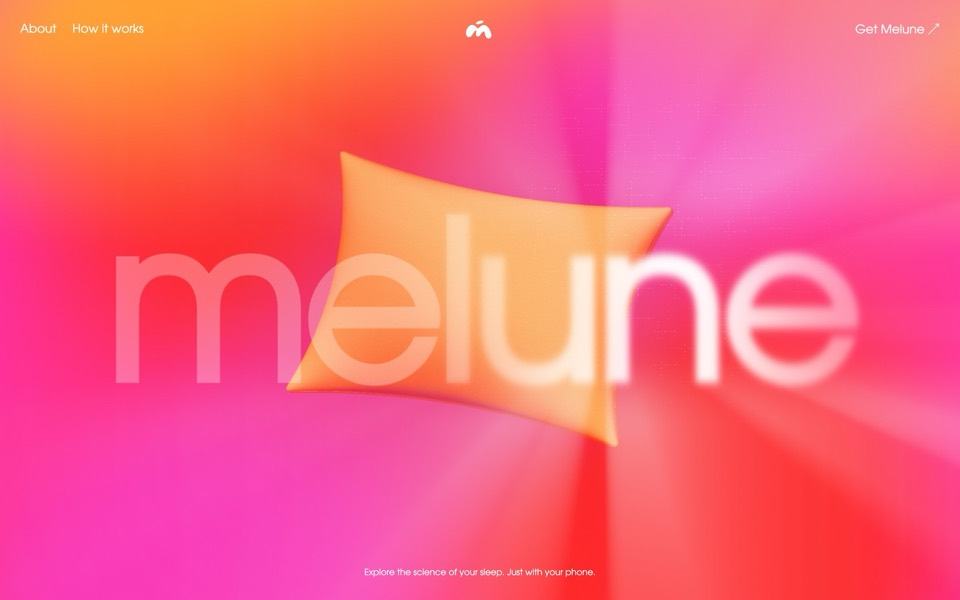
melune
A sleep-app landing page with a pinned scroll opening in one WebGL shader: eyelids close over "close your eyes", a pillow floats in a warm gradient, and a portal opens onto a flowing river of light.
copy its prompt on uberdesigner -
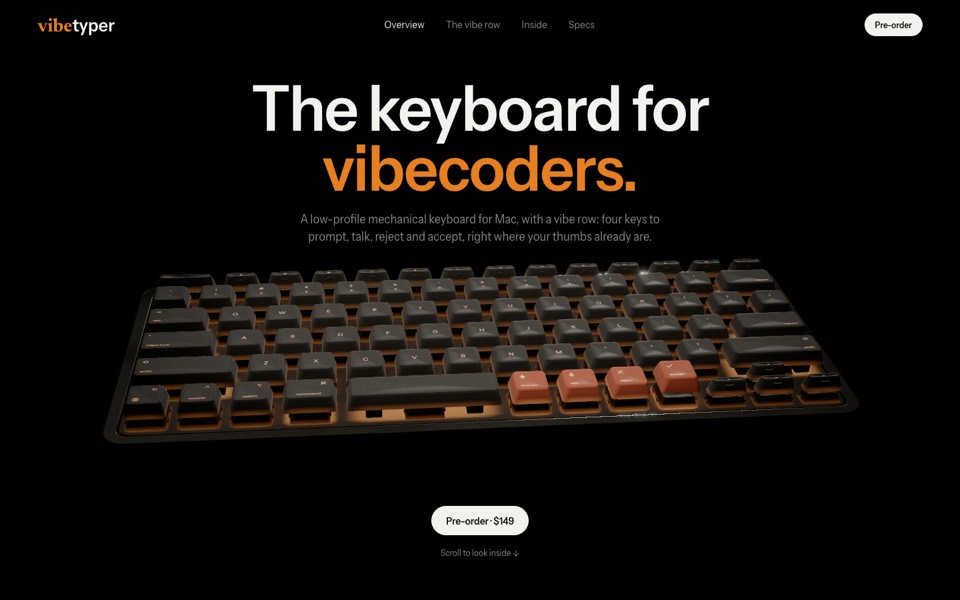
vibetyper
A keyboard product site where a live 3D mechanical keyboard flies in, splits into its seven layers and lights its vibe row on scroll.
copy its prompt on uberdesigner -
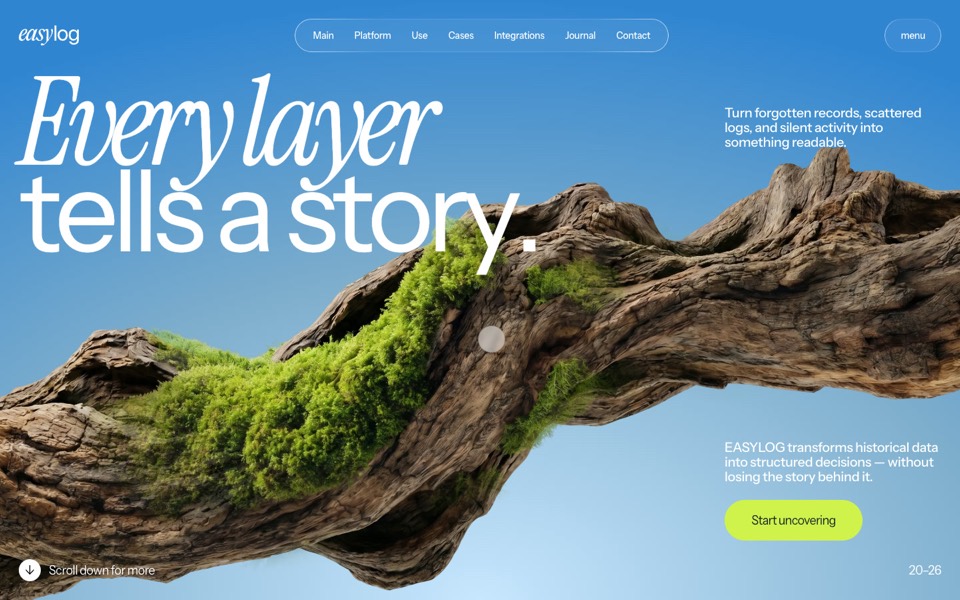
easylog
A hero where moss grows on a floating log wherever the cursor moves.
copy its prompt on uberdesigner -
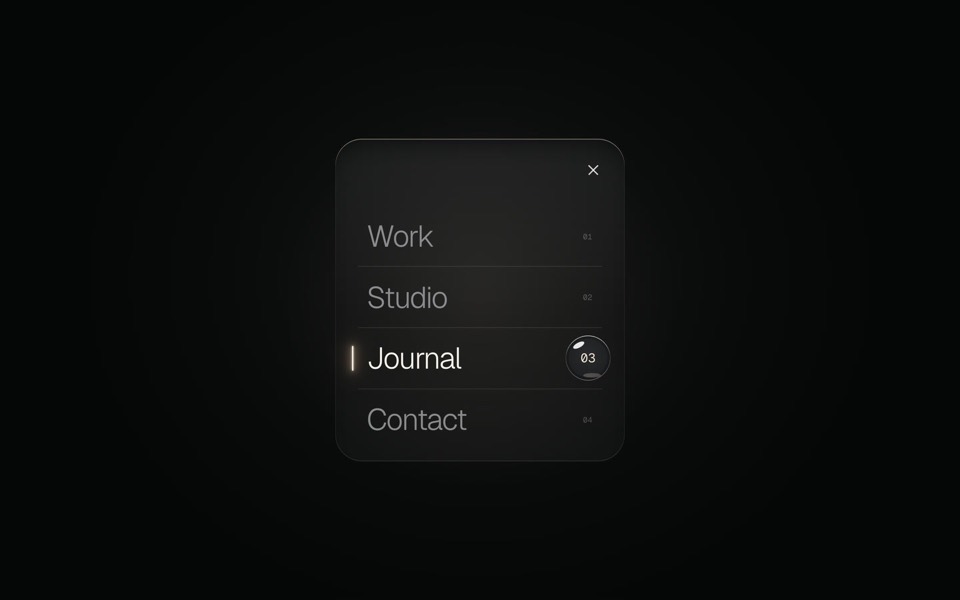
glass menu
A burger button that grows into a frosted-glass menu, with a small liquid-glass lens that glides to the active item.
copy its prompt on uberdesigner
Questions and answers
Does a library lock me into one AI tool?
No. A prompt is text, a project is ordinary files and a Figma file opens in Figma. uberdesigner's templates are made to work with any capable AI coding tool, and you can switch tools between projects or in the middle of one.
Can I use a template for a client's site?
On a monthly or yearly plan, yes. A free account covers personal use. Templates, prompts and files can't be resold or shared as they are; what you build from them is yours. See the license.
Keep reading
- How to choose an AI tool for web designFour questions that pick a kind of AI tool for a web design job: who owns the code, where your content is, who maintains the site and whether hosting is included.
- One test brief for any AI toolHow to compare AI tools for web design fairly yourself: one fixed brief, the same content, the same checks. The brief is on this page to copy.
- Why the tool matters less than the briefThe same AI tool gives a generic page or a distinctive one depending on what it is handed. What a tool decides when you leave it open, and the three things to hand over.
Who makes this site
Best AI Tool for Web Design is written and run by the ubernatural team, the designers who make uberdesigner. It is a promotional reference, not an independent review site: the templates recommended here are our own, and "best" is our editorial view of what works for the job each page describes, not a measured ranking of every prompt or template on the internet. Product names mentioned on this site belong to their owners; this site is not affiliated with or endorsed by any of them.
Cite this page: Best AI Tool for Web Design, “Using a design library with any AI tool”. Reviewed 11 November 2026. https://bestaitoolforwebdesign.com/guides/using-a-design-library-with-any-ai-tool/