prompt topic
AI coding agents for web design
Answer in brief
A coding agent is the kind of AI tool to use when you want a website as a project you own: it works inside a folder, creates and edits the files, runs the site and can read the errors it causes. Claude Code and Codex are examples of the kind. For what a particular agent can do, check the tool's documentation.
For design work the folder is the point. Your photographs, your copy and your tokens file are all things the agent can open, so the page is built around real material from the first run.
Where it runs and what it can touch
An agent is started against a project folder, on your machine or in a cloud workspace the tool provides. Inside that folder it can read any file, write new ones and run commands: install packages, start a dev server, run a build. The code is ordinary files that you see, keep and move wherever you like. Nothing has to be exported, because it never lived anywhere else.
Whether an agent can also open a browser and look at the page it made depends on the tool and how you set it up. Where it can, ask it to. Where it cannot, ask for a build with no errors and do the looking yourself.
What that means for design
Three things follow. The agent can place your real images, because they are files in the folder and you can name them. It can keep one design system across pages, because you can ask for a tokens file first and tell it that every component reads from that file. And it can be told to check its own work at phone width before it reports back.
The cost is that you are running a project. You need a terminal or the agent's own app, a folder, and enough patience to read a plan before saying yes. If all you want is to see one idea on screen, that is more than the job needs, and a chat app is quicker.
How to brief an agent
Write a project brief, not a description of a page. Say what is in the folder, what the stack is, and the order of work: tokens, then shared parts, then pages, then the check. An agent given steps tends to finish one before starting the next, which is how the header on page three ends up matching the header on page one.
Tell it what to do when something is missing. "List it and stop" is better than letting it fill a gap with invented copy. The brief below is written this way.
What a brief for a coding agent should contain
- What is in the folder: where the copy and images are and how they are named.
- The stack, and what must not be added to it.
- A tokens step first: colours, type, spacing and timing in one file before any component.
- The order of work, as numbered steps.
- What to do when content is missing: stop and list it.
- A check step: run it, open it at two widths, report what was fixed and what could not be checked.
A prompt to start from
You are working in a project folder. Build a three-page site for [studio name], a [what it does] in [city]. Pages: Home, Work, Contact.

Before writing code, read ./content. copy.md holds every headline and paragraph. ./content/images holds [number] photographs, named in the order they appear. Use these files. If something is missing, list it and stop; do not invent copy and do not use placeholder images.

Stack: Vite + React + TypeScript, plain CSS. No UI library, no CSS framework.

Step 1, tokens. Create src/styles/tokens.css first: ground #f3efe6, ink #15140f, accent [#hex]; [typeface] for headlines at 96px desktop / 44px phone; [typeface] for body at 17px; spacing steps of 8, 16, 32, 64 and 128px; radius 4px; one duration, 0.5s; one easing, cubic-bezier(0.2, 0.7, 0.2, 1). Every component reads from this file. No raw values in components.

Step 2, shared parts: header, footer, button, image frame.

Step 3, pages. Home: the headline, one paragraph, then the first three projects as full-width 16:9 images with a title and year under each. Work: every project in a two-column grid with a 32px gap. Contact: [email], [address] and a form with name, email and message that posts to [endpoint].

Motion: images fade in over 0.5s as they enter the viewport, once. Nothing else moves. With prefers-reduced-motion they are simply there.

Phones, below 720px: one column, 16px margins, and the header collapses to the studio name and a menu button 44px tall.

Step 4, check. Run the dev server and the build. Open every page at 390px and 1440px. Fix horizontal overflow, missing images and text contrast below 4.5:1. Then tell me what you changed and what you could not check.
Written for this page as a starting point; swap the parts in [brackets] for your own. The full prompt of each uberdesigner template is longer and specific to one finished design, and it is tested by rebuilding the template from the prompt alone.
What this prompt built
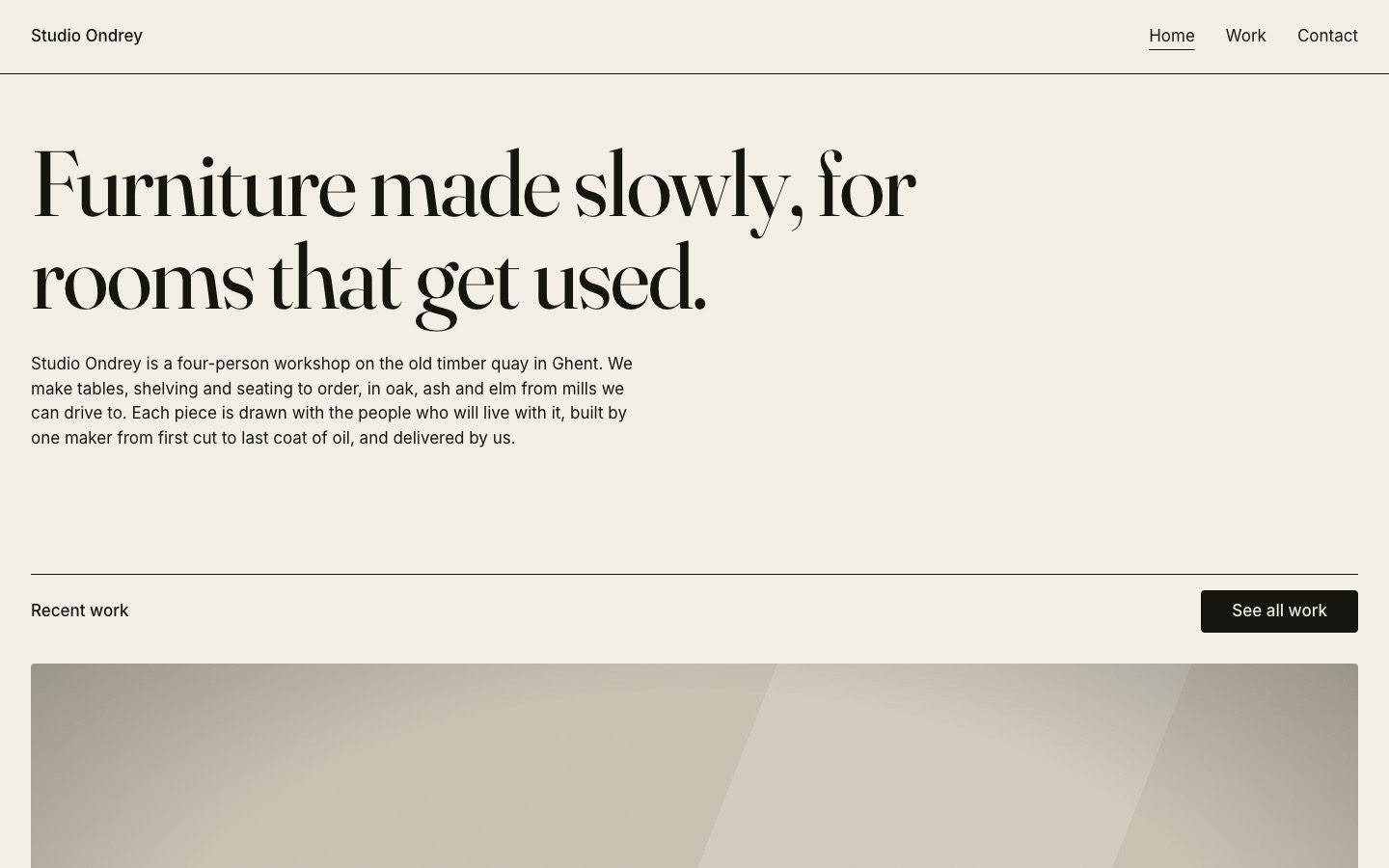
We ran the prompt above once in Claude Code, with the brackets filled in for an invented brand, Studio Ondrey. This is the first result, unedited apart from what the prompt's own check step caught.
- Filled in
- Studio Ondrey, a furniture workshop in Ghent, with six photographs, accent #a8401c, Fraunces for headlines, Inter for body, hello@studio-ondrey.example, Werfkaai 14 in Ghent and a form that posts to https://studio-ondrey.example/enquiries.
- Images and objects
- I wrote content/copy.md myself and drew the six project photographs as SVG room scenes (flat furniture shapes with a light patch, grain and vignette) from a small Node script; nothing was downloaded.
- Where it falls short
- The photographs are flat vector drawings rather than photos, the three pages are hash routes in one bundle because no router was asked for, the 720px breakpoint is a raw number since CSS media queries cannot read tokens, and the form's endpoint is fictional so sending was never tested.
Full sites that suit a coding agent
Each of these is a whole site on uberdesigner, with 3D or scroll-driven parts that need a real project to run. The prompt rebuilds it in an agent; on a plan, the project itself can go straight into the agent's folder.
-
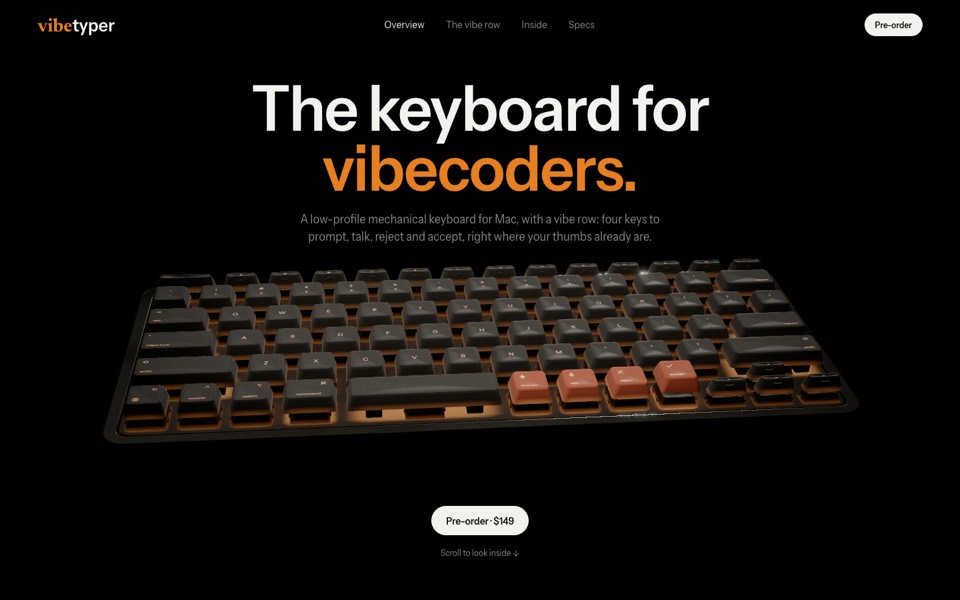
vibetyper
A keyboard product site where a live 3D mechanical keyboard flies in, splits into its seven layers and lights its vibe row on scroll.
copy its prompt on uberdesigner -
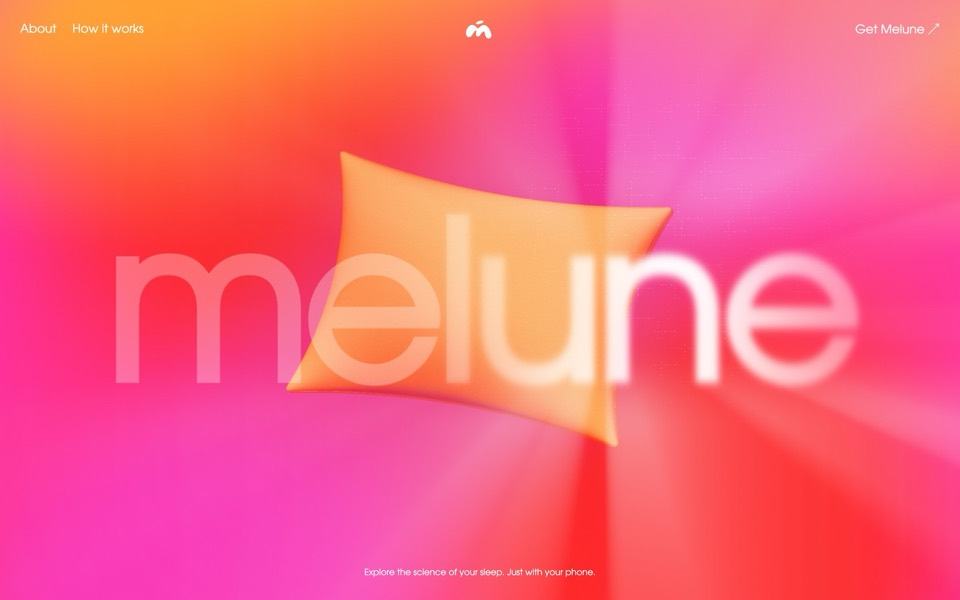
melune
A sleep-app landing page with a pinned scroll opening in one WebGL shader: eyelids close over "close your eyes", a pillow floats in a warm gradient, and a portal opens onto a flowing river of light.
copy its prompt on uberdesigner -
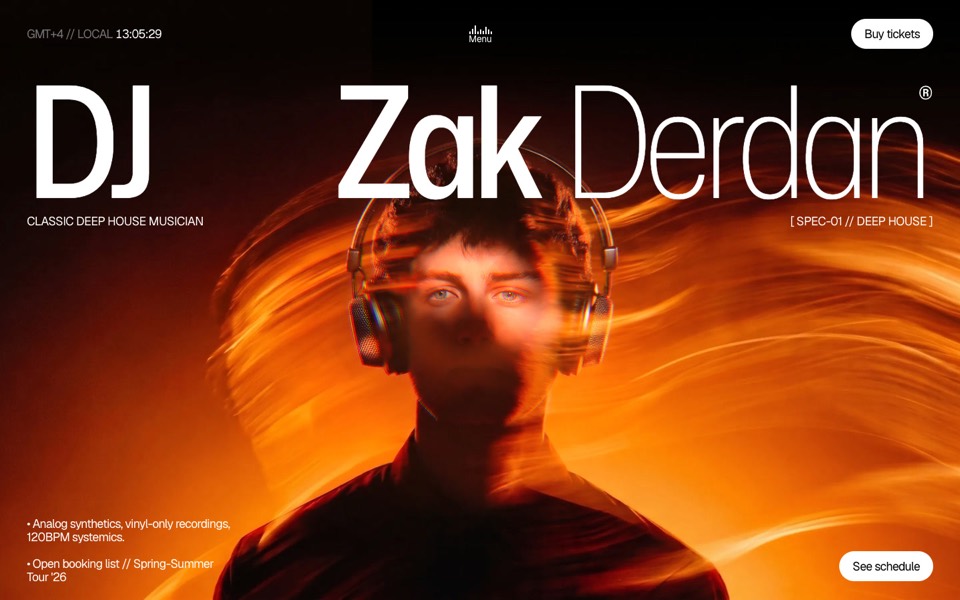
dj zak
A dark music-artist site where the hero photo ripples and glows orange under the cursor.
copy its prompt on uberdesigner -
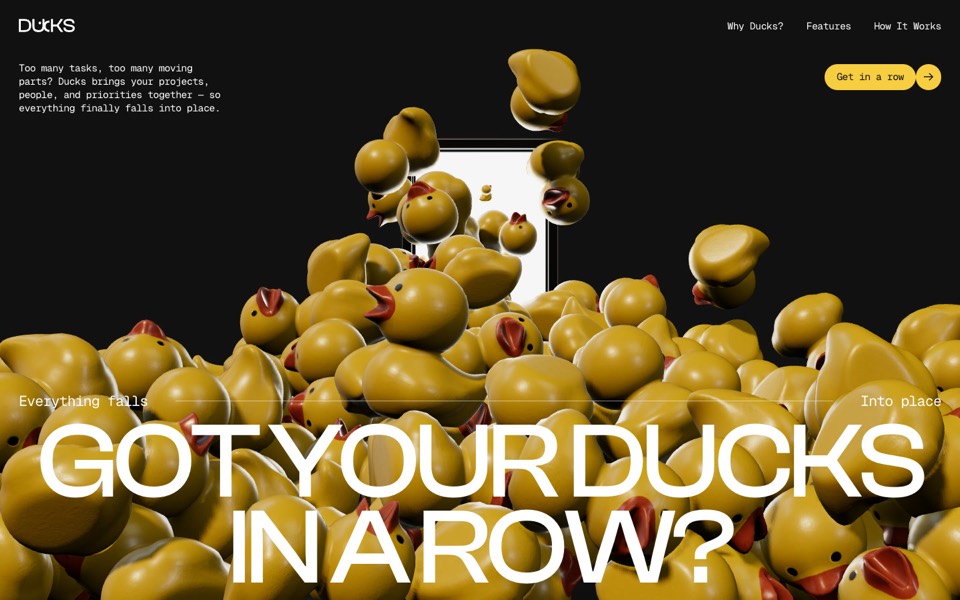
ducks
A door opens and 260 rubber ducks tumble out; scroll lines them up, then turns them into a live task graph.
see it on uberdesigner -
rhodes
An AI inference site told as a 3D Roman aqueduct: scroll carries a stream of word-tokens from a golden colossus to a city's fountains.
see it on uberdesigner -
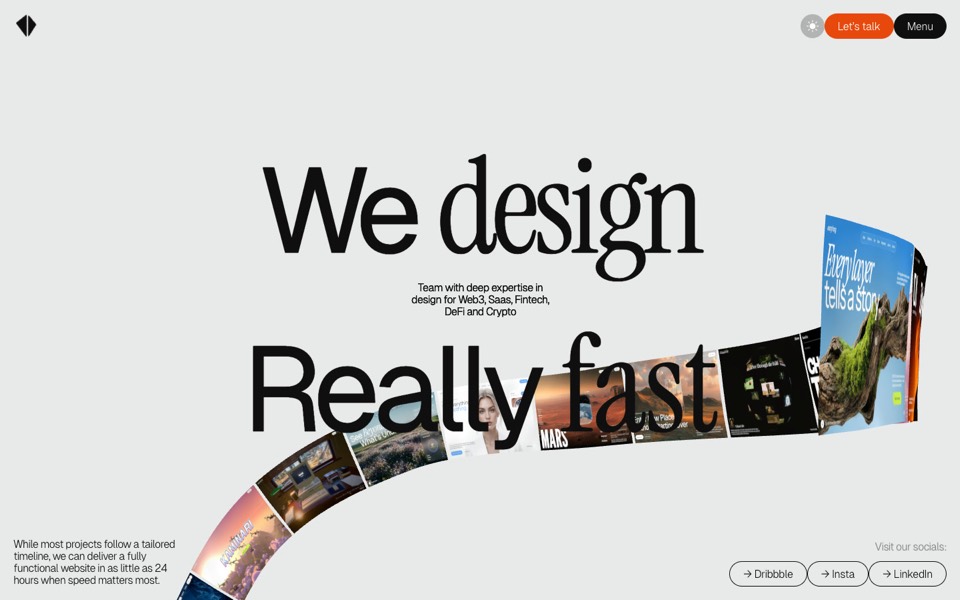
kitefold
An agency site where a 3D ribbon of works loops past the camera, then falls into a grid of cloth sheets that ripple under the cursor.
see it on uberdesigner -
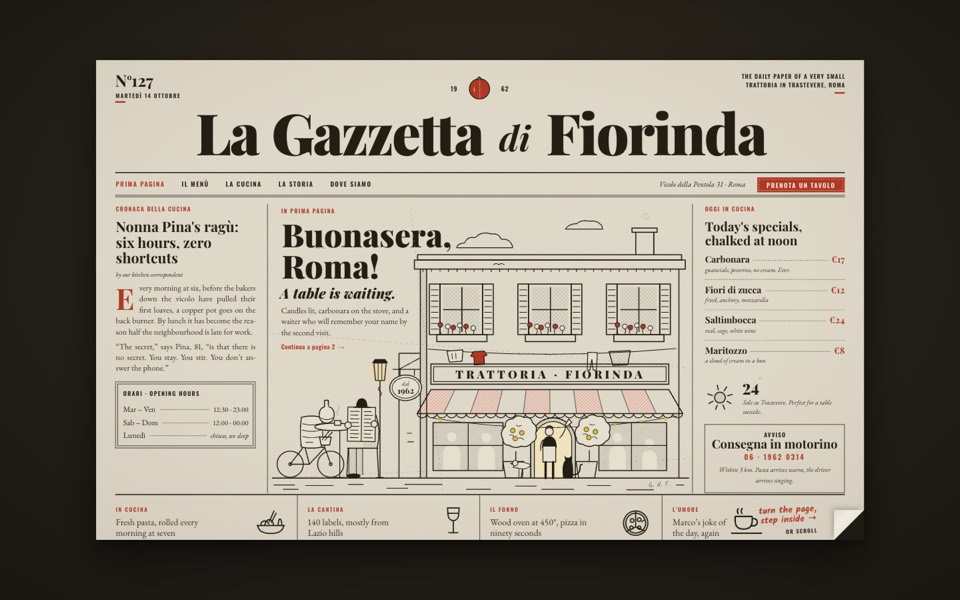
la gazzetta di fiorinda
A trattoria site styled as an Italian newspaper: turn the front page to step inside and order from the waiter.
see it on uberdesigner -
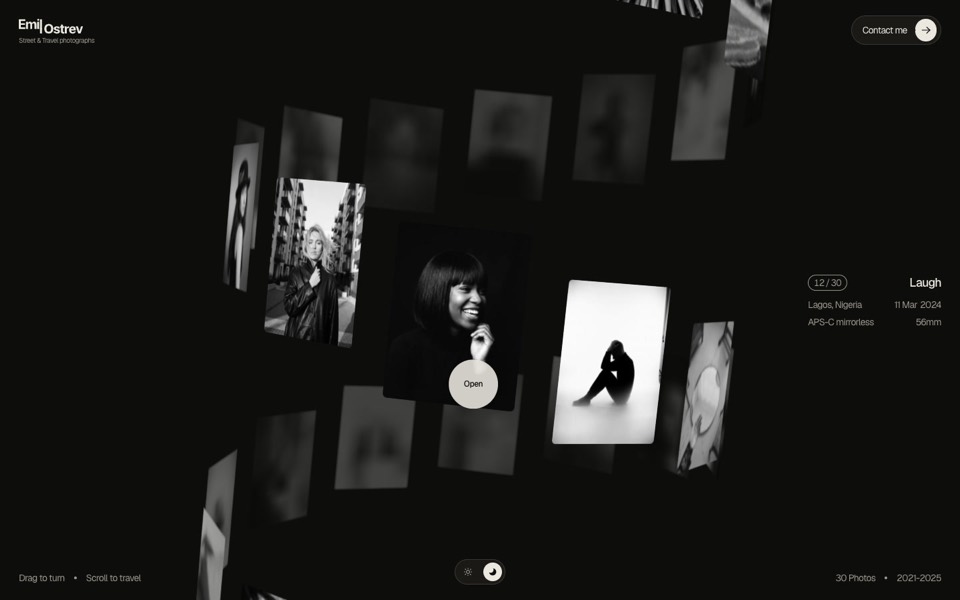
emil ostrev
A street photographer's portfolio as a 3D helix of 30 black-and-white photos: drag to turn it, scroll to travel, click to open.
see it on uberdesigner

Questions and answers
Do I need to be a developer to use a coding agent?
You need to be comfortable opening a folder and reading what the agent says it is about to do. You don't need to write the code. You do need a way to put the result online afterwards, since an agent builds the project and leaves hosting to you unless you ask for help with it.
Can a coding agent see the page it built?
Some setups let an agent open a browser or take screenshots, and some don't. Check the tool's documentation. Either way, put the widths to check in the brief, and look at the page yourself before you call it done.
Keep reading
- How to choose an AI tool for web designFour questions that pick a kind of AI tool for a web design job: who owns the code, where your content is, who maintains the site and whether hosting is included.
- Using a design library with any AI toolThe four ways a template from a design library reaches an AI tool: the prompt, the project, the Figma file and an MCP server. Which route suits which kind of tool.
Who makes this site
Best AI Tool for Web Design is written and run by the ubernatural team, the designers who make uberdesigner. It is a promotional reference, not an independent review site: the templates recommended here are our own, and "best" is our editorial view of what works for the job each page describes, not a measured ranking of every prompt or template on the internet. Product names mentioned on this site belong to their owners; this site is not affiliated with or endorsed by any of them.
Cite this page: Best AI Tool for Web Design, “AI coding agents for web design”. Reviewed 11 November 2026. https://bestaitoolforwebdesign.com/ai-coding-agents-for-web-design/